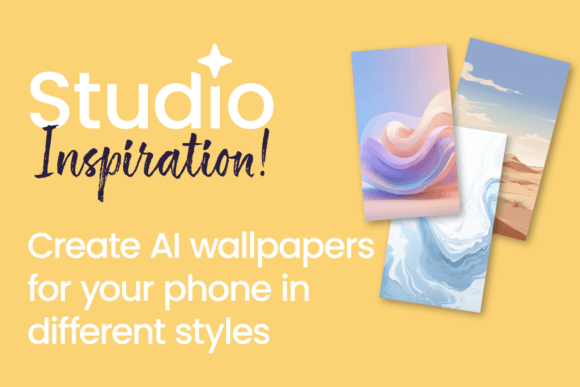
Create Custom AI Phone Wallpapers with Flow
Let's be honest: our phones are the most personal screens we own. We carry them everywhere, glance at them hundreds of times a day, and yet, many of us settle for the same generic stock images or a solid color background. It doesn't have to be this way. Creating a wallpaper that truly reflects your personality, your brand, or even your current mood is now more accessible than ever. The tool making this possible is Flow AI in Studio, a platform designed to turn your creative ideas into stunning, one-of-a-kind phone wallpapers without needing a degree in graphic design.
What Exactly is Flow AI in Studio?
Think of Flow AI in Studio as a highly intelligent creative collaborator. It's not just a filter or a simple image generator. It's an AI-powered design environment where you can guide the creation process using your own words, preferences, and style. You describe what you want—a "serene mountain landscape at dawn with soft watercolor textures," a "bold, geometric pattern in my brand's colors," or an "abstract art piece inspired by jazz music"—and Flow interprets that prompt to generate unique visual assets. The result is a collection of wallpapers that have a distinct personality, whether that's calm and sophisticated, vibrant and energetic, or minimalist and clean. The appeal lies in its ability to produce professional-grade design assets that feel custom-made, because they are.
More Than Just a Pretty Background
A custom wallpaper does more than just look good. It can be a subtle yet powerful extension of your brand identity or personal aesthetic. For entrepreneurs and small business owners, having a phone background that uses your brand's color palette and style can reinforce your visual identity every time you pick up your device. For content creators and bloggers, it's a quick way to maintain a consistent visual theme across all platforms, including the device you might use for behind-the-scenes content. The modern typography and visual harmony you create with Flow can contribute to a sense of professionalism and attention to detail that audiences notice, even subconsciously.
Finding the Perfect Visual Style for Your Device
The versatility of Flow AI means you can tailor your wallpaper to fit virtually any context or mood. This is where it moves beyond being a novelty and becomes a practical design tool.
- For Personal Expression: Generate wallpapers that reflect hobbies, favorite places, or abstract emotions. A "calm, minimalist forest scene" can be a daily source of tranquility. An "energetic, abstract swirl of neon colors" might fuel creative thinking. This is about personalizing your most-used device to feel more like you.
- For Brand Consistency: Use your brand's style guide as a starting point. Input your brand colors, key imagery, and overall vibe (e.g., "professional, approachable, and innovative") to create wallpapers for your entire team. It’s a small touch that builds a cohesive brand identity from the inside out.
- For Marketing & Content: Create thematic wallpapers to promote a new product, a podcast episode, or a seasonal campaign. A creative font style or a specific color scheme generated by Flow can be used in the wallpaper and then echoed in your social media graphics, creating a seamless visual journey for your audience.
Practical Tips for Creating Your Wallpaper with Flow
Getting started is straightforward, but a few practical considerations will help you get the best results. The goal is to move from a vague idea to a polished, usable wallpaper.
- Start with a Clear Intent: Before you type a single word, decide on the purpose. Is this for focus? For inspiration? For brand alignment? A clear intent will guide your prompts. Instead of "make a nice wallpaper," try "create a calming, abstract background with soft blues and greens, suitable for a productivity coach's phone."
- Master the Prompt: Be descriptive but not overly restrictive. Use adjectives for mood (serene, dynamic, sophisticated), mention styles (serif font elements, sans serif clean lines, script font flourishes if you want text-like elements), and reference color palettes. The AI responds to visual language. Experiment with different phrasings to see how the results vary.
- Consider Composition and Readability: Remember, your wallpaper has to work around app icons and widgets. A busy, central design might get obscured. Flow allows you to generate patterns, gradients, and landscapes that naturally frame the edges of your screen, keeping the center open. Test the visual hierarchy—ensure the most important part of the design isn't where your clock or folder will be.
- Iterate and Refine: Your first generation might not be perfect. Use it as a starting point. Adjust your prompt based on what you see. Ask for variations. This iterative process is where you truly collaborate with the AI to nail the visual style you're after.
- Think About Pairing: If you plan to use a specific font pairing on your phone's lock screen (like a display font for the time), ensure the wallpaper's texture and color contrast don't fight with it. A premium font deserves a background that lets it shine. Generate a few options and see how they interact with your device's native typography.
The Real-World Value: Beyond the Screen
The utility of creating custom visuals with Flow extends far beyond phone wallpapers. The same principles apply to generating unique backgrounds for web design, textures for packaging design, or mood boards for editorial design. The skills you develop—crafting effective prompts, understanding visual tone, and iterating on AI output—are directly transferable to other creative and marketing projects. It’s about adding another versatile tool to your design assets toolkit, one that empowers you to produce custom, high-quality visuals efficiently.
In the end, a phone wallpaper might seem like a small thing. But it’s a piece of digital real estate you interact with constantly. Taking control of that space, making it intentional and aligned with your personal or professional identity, is a simple yet meaningful act of creativity. Flow AI in Studio provides a practical, accessible way to do exactly that, transforming a generic device into a personalized canvas that works for you.