Get Started with Digital Planning: Your Guide to Creative Productivity
Why Digital Planning is More Than Just a Trend
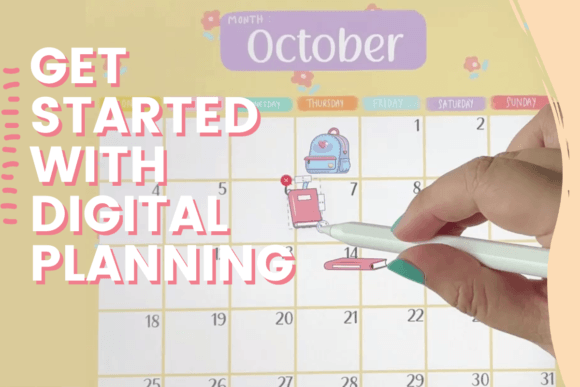
If you've spent any time on social media or in creative circles lately, you've probably seen beautifully organized digital notebooks and planners. This isn't just a passing fad; it's a fundamental shift in how we capture ideas, manage projects, and express our creativity. For designers, entrepreneurs, and content creators, moving to a digital planner on an iPad with an Apple Pencil and an app like GoodNotes offers unparalleled flexibility. Forget the limitations of paper—digital planning allows for infinite pages, easy rearrangement, multimedia integration, and a clutter-free bag. It's about creating a living document that adapts to your workflow, not the other way around.
Building Your Foundation: The Tools and Mindset
The core of this digital planning journey, as expertly guided by Kymmie, starts with the right tools and understanding. You need an iPad, an Apple Pencil, and the GoodNotes app. But the real skill is learning to think digitally. This class isn't about just importing a PDF; it's about understanding how to create a planner from the ground up. You'll learn to use GoodNotes' features to build hyperlinks, design custom covers, and set up a structure that mirrors how your brain works. This foundation is critical because the skills are directly transferable. The same techniques used to build a digital planner can be used to craft a digital journal for client notes, a notebook for brainstorming sessions, or a memory-keeper for personal projects. It's about mastering a digital craft.
From Novice to Proficient: The Learning Curve
Many people feel intimidated by new software, but Kymmie's approach is beginner-friendly and step-by-step. You start with the absolute basics of navigating GoodNotes, understanding layers, and using your Apple Pencil effectively for writing and drawing. The class focuses on practical application. You won't just watch; you'll do. By the end, you'll have a fully functional, personalized planner you built yourself. This hands-on experience builds confidence that spills over into other areas. Suddenly, creating social media graphics, designing a simple brand identity asset, or even mocking up packaging design concepts in a digital notebook feels completely within reach. It's about building a creative font of digital skills.
Expanding Your Creative Horizons
The real magic happens when you take the core principles and apply them elsewhere. Think of digital planning as your gateway to modern typography and layout design for personal projects. The process of arranging text, images, and interactive elements in GoodNotes is a practical lesson in visual hierarchy. You learn what makes a page readable and engaging, not through theory, but through creation. This skill is invaluable for anyone in marketing or publishing. You can prototype an editorial design layout for a blog post, plan out a week of social media graphics, or even draft the copy for a landing page in a structured digital notebook before it ever hits a website builder.
Moreover, the aesthetic you develop in your planner influences your broader brand identity. Consistency is key in branding, and using a digital planner helps you establish and maintain a consistent visual language. You might choose a specific color palette, a particular style of header, or a recurring motif. This disciplined approach to your personal planning can translate directly into how you present your business or personal brand across all design assets, from your logo design to your web design. It fosters a mindset of intentional creation.
Practical Steps to Get Started
Ready to begin? Here’s a straightforward path to dive in:
- Gather Your Tools: Ensure your iPad and Apple Pencil are charged and that you've downloaded GoodNotes from the App Store.
- Take the Class: Enroll in Kymmie's beginner-friendly class. Follow along with each lesson, pausing to practice. Don't rush the process.
- Start Simple: Your first planner doesn't need to be perfect. Focus on creating a basic weekly spread and a few key sections that you'll actually use, like a goals page or a project tracker.
- Experiment and Iterate: Once you have the basics down, play with different templates, fonts, and sticker elements. See what works for you and what doesn't. The beauty of digital is that you can change it endlessly.
- Transfer the Skills: After you're comfortable with planning, try creating a simple digital notebook for a specific project, like planning a vacation or outlining a new business idea. This reinforces the skills in a new context.
This journey is about more than organization; it's about unlocking a new mode of creative and professional productivity. By getting started with digital planning, you're not just buying a product—you're learning a versatile skill set that enhances how you work, create, and communicate in a digital-first world.