Adorable Gnomes in Procreate: A Designer's Guide
There’s a certain magic to well-crafted character design. A simple illustration, when done right, can convey personality, warmth, and a story all on its own. This is especially true for the whimsical world of gnomes. Learning how to draw these charming figures in a powerful app like Procreate is more than just a fun hobby; it's a skill that can elevate your creative projects. Illustrator Kris Lauren’s method provides a clear, accessible path for anyone, from seasoned designers to curious hobbyists, to master the art of creating cute characters. This isn't about vague theory; it's a practical, step-by-step guide to building a character from the ground up, ensuring you finish with a polished piece of art and the confidence to create more.
The Anatomy of a Charming Gnome
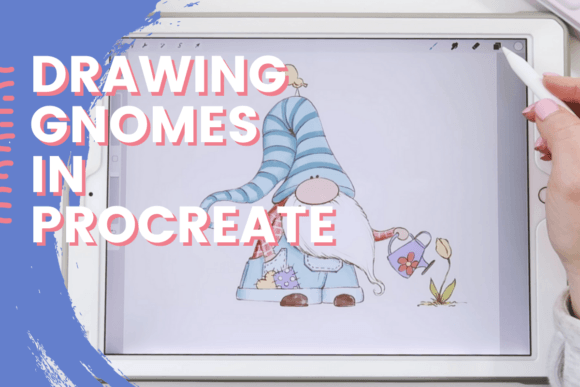
Before you even pick up your Apple Pencil, it's worth understanding what makes a gnome character so appealing. Their design is a masterclass in visual simplicity and personality. The core elements are iconic: a tall, often droopy hat that obscures most of the face, a large, round nose, and a magnificent beard. This visual shorthand immediately tells the viewer what they're looking at, leaving you to focus on the details that inject personality. The appeal lies in this blend of familiarity and creative freedom. The style is inherently friendly and non-threatening, making it perfect for a wide range of applications, from children's book illustrations to festive holiday branding.
The visual characteristics you'll explore in a class like this go beyond the basic shape. You'll learn how to manipulate proportions—a gnome with a larger, rounder body feels more comical and friendly, while a taller, slimmer gnome might appear more wise or mystical. Texture is another key component. The soft, felt-like quality of the hat, the roughness of a wooden staff, or the fluffy nature of the beard can all be achieved through clever brushwork in Procreate. By focusing on these elements, you're not just drawing a generic figure; you're designing a character with a specific mood and story. This is where the real creative work begins.
From Pixels to Products: Applying Your Gnome Artwork
Once you've mastered the technique of drawing gnomes in Procreate, you have a versatile design asset ready for the real world. The applications are nearly endless, spanning both personal and commercial projects. For entrepreneurs and small business owners, a custom gnome character can become a memorable part of their brand identity. Imagine a charming gnome mascot for a coffee roaster, a garden center, or a craft brewery. This custom artwork is far more unique and engaging than a generic stock image, helping to build a stronger connection with your audience.
The utility extends across various media. Consider how this skill can enhance your projects:
- Digital Products: Create sticker packs for messaging apps, digital planners, or social media graphics that stand out. A series of seasonal gnomes can create a consistent and engaging content calendar for a blog or brand.
- Print-on-Demand: Your finished gnome designs can be easily uploaded to services that print on t-shirts, mugs, tote bags, and phone cases. This is a fantastic way to monetize your new skill with minimal overhead.
- Publishing and Editorial Design: For publishers and authors, a custom gnome illustration can add a unique touch to a children's book, a fantasy novel cover, or an editorial feature about folklore and crafts.
- Physical Goods: Crafters can print their artwork onto sticker paper for planners, create iron-on transfers for apparel, or use the designs for greeting cards and party invitations.
The key takeaway is that the artwork you create in Procreate isn't just a static image file. It's the starting point for a whole ecosystem of creative and commercial possibilities. By learning the process, you gain the ability to produce high-quality, original illustrations on demand, a valuable skill for any creative professional.
Building Confidence and a Reusable Creative Workflow
The most significant benefit of following a structured class on drawing gnomes in Procreate isn't just the final illustration you produce. It's the process you internalize. A good instructor like Kris Lauren doesn't just show you what to draw; she teaches you how to think like a character designer. You'll start with basic shapes, learn to refine proportions, and build up layers of detail and color. This workflow is universally applicable. The same principles you use to construct a gnome can be adapted to draw a robot, an animal, or any other cute character you can imagine.
This structured approach demystifies the creative process. Instead of staring at a blank canvas, you have a reliable method to follow. This builds creative confidence, which is invaluable. You learn to trust your instincts and see a project through from a rough sketch to a polished final product. The practical guidance on using Procreate's tools—like the symmetry tool for perfect hats, clipping masks for clean shading, and the vast library of brushes for texture—is what bridges the gap between idea and execution. You're not just learning to draw one thing; you're learning to use your tools effectively to bring any idea to life. This is the real-world value that transforms a fun project into a professional skill, empowering you to tackle future design challenges with enthusiasm and a clear plan.