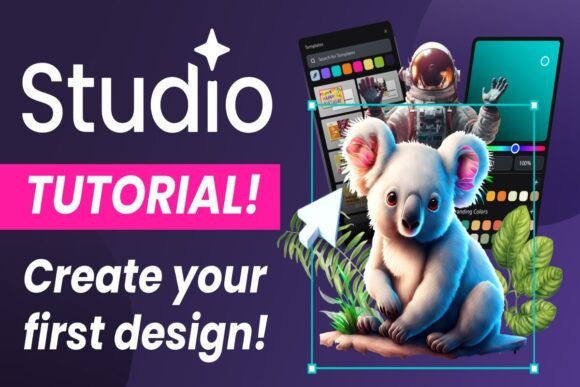
Mastering Design: Layer Order in Studio
Creating your very first design in Studio is an exciting step into the world of digital creativity. Whether you're crafting a personalized birthday card, assembling a social media graphic, or prototyping a new logo design, understanding the fundamentals is key. One of the most crucial, yet often overlooked, fundamentals is managing your layers order. Think of your canvas not as a flat piece of paper, but as a stack of transparent sheets. Each element you add—be it text, an image, or a shape—lives on its own layer. The order in which these layers are stacked determines what appears in front and what gets hidden behind. Getting this right is the difference between a polished, professional-looking design and a confusing mess where your elegant script font disappears behind a bold background shape.
Why Layer Order is Your Design's Backbone
In Studio, the layers panel is your control center. It’s a simple list that shows every object in your design, from the background color to the final flourish. The visual characteristics of your project depend entirely on this hierarchy. Imagine you're designing a brand identity asset. Your company name, set in a strong, modern sans serif font, needs to be the most prominent element. If you place that text layer behind your brand mark or a decorative illustration, your core message gets lost. The personality and style of your design are conveyed through this intentional stacking. A layered collage effect for a blog header, for instance, relies on overlapping elements with careful order to create depth and interest, making your editorial design feel dynamic and engaging.
This principle applies universally across creative projects. For packaging design, the product name (often a display font or premium font choice) must sit above the nutritional information and regulatory text. In web design, your call-to-action button needs to layer above background imagery to remain clickable and visible. Even for personal projects like a birthday card, ensuring the celebratory message in a handwritten font is front and center makes the sentiment clear. The layer order directly influences your design's readability, visual hierarchy, and overall professionalism. A consistent and logical layer structure also makes your file easier to edit later, a small act of foresight that saves significant time, especially for small business owners and marketers juggling multiple assets.
Practical Steps for Managing Layers in Studio
Let's walk through a practical example. You're creating that birthday card. You start with a colorful background shape. Then you add a photo of the birthday person. Finally, you add the text "Happy Birthday!" in a charming script font. By default, Studio will place each new element on top of the previous one. Your text is likely at the top of the stack, which is perfect. But what if you decide to add a decorative frame around the photo? If you simply draw the frame, it will cover your text. This is where you need to actively manage the order.
In Studio's layers panel, you can click and drag layers up or down the list to reorder them. You would select the frame layer and drag it below the text layer, but above the photo layer. This ensures the frame sits behind the words but in front of the picture, creating the desired layered effect. This process is fundamental when working with font pairings. Perhaps you have a main headline in a bold serif font and a subhead in a light sans serif. You might place a semi-transparent shape behind the subhead to help it stand out. You'd need to position that shape's layer between the background and the subhead text, but below the main headline to maintain clear hierarchy.
Evaluating Fit and Making Adjustments
As you build more complex designs, evaluating your layer order becomes a habit. Ask yourself: Is the most important information at the top of the stack? Are decorative elements correctly positioned to support, not obstruct, your core message? For social media graphics, where attention spans are short, this clarity is non-negotiable. A creative font used for a key phrase must be instantly readable against a busy photo background, often requiring you to place a solid or gradient layer between them.
Remember, layer order isn't just about what's on top. It's about creating a logical visual flow for the viewer's eye. In Studio, you can also group layers, which is incredibly useful for organizing complex projects. Group all the elements of your logo, or all the text for a particular section, and move them as a single unit. This keeps your workspace tidy and your design process efficient. For anyone building a brand identity, maintaining consistent layer organization across all your design assets ensures everything looks cohesive and is easy to update.
Beyond the Basics: Layers in Complex Projects
As you graduate from a simple card to more involved projects, layer management becomes even more critical. Consider creating a series of social media graphics for a product launch. You might have a template with a consistent background, a product image placeholder, a headline area, and a call-to-action button. By locking the layers for the background and button, you can safely edit the product image and headline text in each variation without accidentally moving core elements. This ensures brand consistency across all your posts.
For publishers and bloggers, designing a lead magnet PDF or an ebook cover involves multiple text layers, images, and decorative borders. A clear layer order—background, main image, title text, author name, subtitle—prevents the design from feeling cluttered. It allows each element to breathe and be understood in its intended sequence. When you choose a font for your title, whether it's a sophisticated serif or a clean sans serif, its impact is maximized when it's positioned correctly relative to other visual elements.
Ultimately, mastering layers order in Studio is about control and intention. It’s the practical skill that translates your creative vision into a clear, effective, and professional final product. It empowers you to use powerful tools like modern typography and layered imagery without the result looking chaotic. So, as you embark on creating your first design, keep the layers panel open and think in terms of depth. What should come forward? What can recede? This simple mindset will elevate your work from a flat arrangement to a dynamic, engaging composition that truly communicates your message, whether for personal celebration or commercial impact.